Markdown previews in lf with leaf
How to get nice Markdown previews working in the lf file manager.
Today I'm finding I'm working Markdown even more, and the delta is mostly in read-mode, rather than write-mode. Reading agent and skill files, intent summaries, product requirement documents and more, especially in the context of Joule Studio.
I use the terminal file manager lf which is
very configurable. The configuration mechanisms include a previewer file
which is a shell script that calls different tools to preview different file
types. Until just now, mine looked like this:
#!/bin/sh

case "$(basename "$1")" in
Dockerfile | *.dockerfile) highlight -O ansi --syntax Dockerfile "$1" ;;
*.jpeg | *.jpg | *.png) exiftool "$1" ;;
*.json) jq -C . "$1" ;;
*) batcat --style plain --color always "$1" ;;
esac
Here, I use specific tools for a small number of content types, and fall back to the default of bat for everything else.
Separately from the lf context I've been using
glow to render Markdown in the
terminal. It does a lovely job. But running it in the context of another tool
like lf is a struggle due to it
not sending ANSI codes.
Luckily, I just found leaf, another terminal based Markdown viewer. And with the inline rendering option I can force it to emit ANSI.
So now I've added another line to my case ... esac construct above:
*.md | *.markdown) leaf --inline ansi "$1" ;;and I can now comfortably read Markdown content, rendered beautifully:
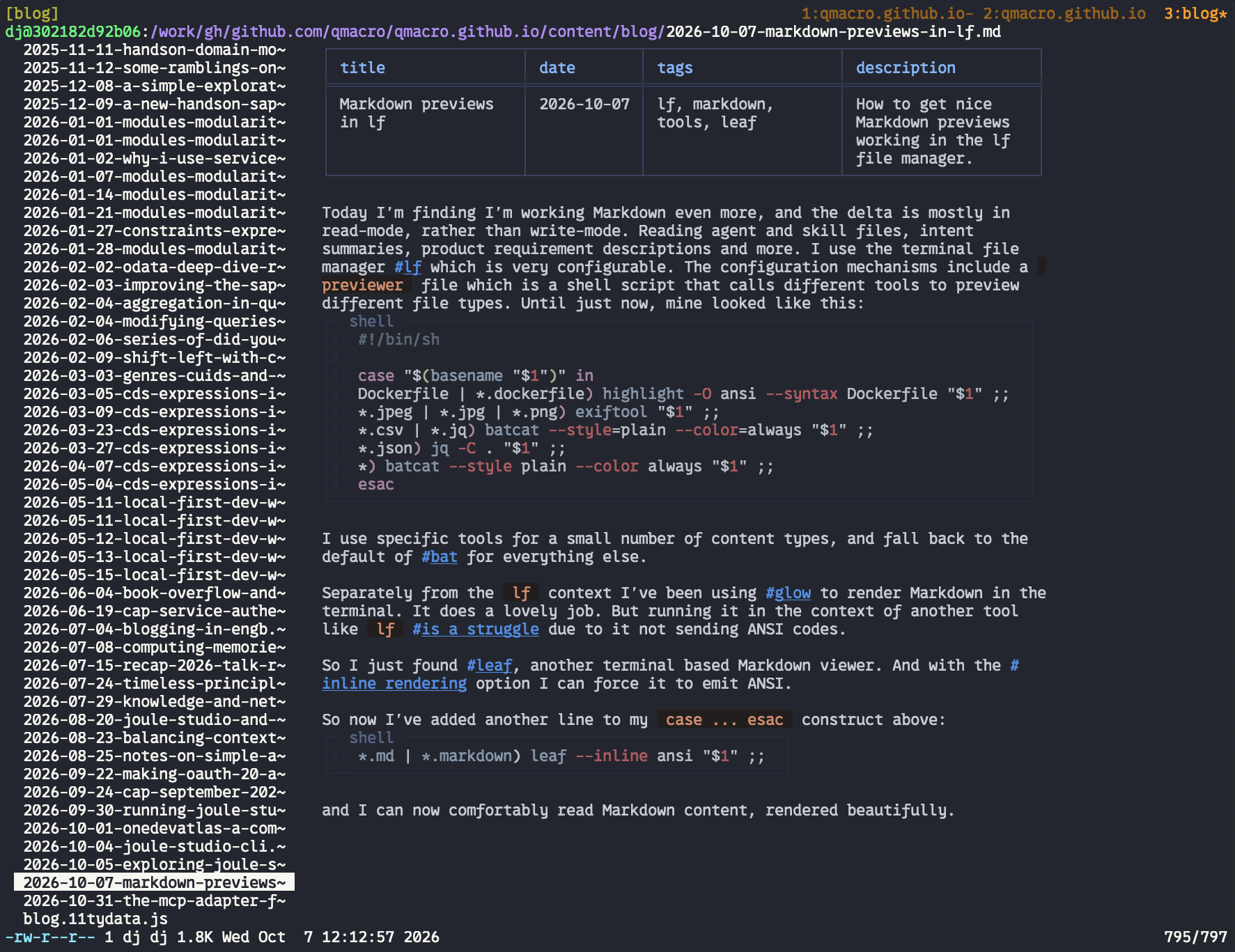
(Yes, that screenshot is deliberately meta).
- ← Previous
Exploring Joule Studio skills