Modules, modularity & reuse in CDS models - part 2 - creating a simple reuse package
Following on from part 1 in this series, I take a step back and look at the fundamentals of creating and working with a module, locally in this part, using the NPM workspace concept.
(Get to all the parts in this series via the series post.)
In wrapping up the end of part 1 we looked forward to creating the simplest kind of reuse module, not only as an important fundamental building block but as a base for further understanding and exploration (especially when we start looking closer at capire/common).
What we'll do in this post is:
- create a simple CAP Node.js project with a basic CDS model
- extend it by defining a custom type in a separate file, and using that type
- make that custom type definition reusable by creating an NPM package and putting it there instead
Following best practice BES002 Think local-first we'll create and build out that NPM package locally, for the ultimate in development iteration and fast inner loops.
Creating a simple CAP Node.js project
For simplicity's sake, and to highlight the even more basic alternative
approach (to using cds init) to create a new CAP Node.js project, we'll use
the NPM command line tool npm as demonstrated by Daniel Schlachter in our Expert
Session: Getting started with CAP Node.js - 2025/2026
edition!. After all,
this post is ultimately all about Node.js packages.
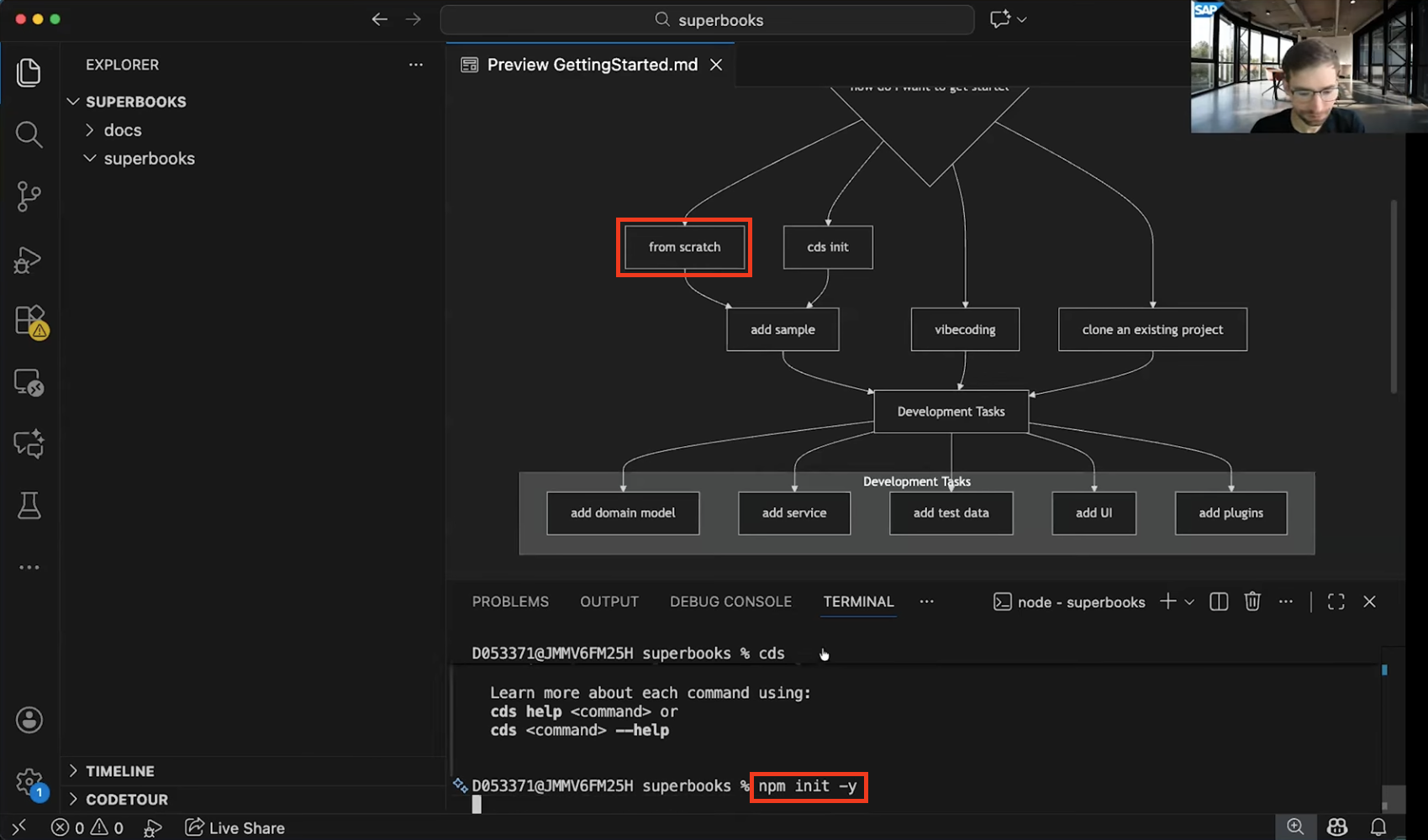
Here goes:
mkdir myproj \
  && cd $_ \
  && npm init -y \
  && npm add @sap/cds express \
  && npm add --save-dev @cap-js/sqlite
This creates everything we need for starting to develop a CAP Node.js project.
Firing things up with cds watch gives us:
cds serve all --with-mocks --in-memory?
( live reload enabled for browsers )
        ___________________________

    No models found in db/,srv/,app/,app/*,schema,services.
    Waiting for some to arrive...
All subsequent command line invocations in this post are from the same location as this, i.e. at the project root, in
myproj/.
Adding a simple CDS model
To keep things as simple as possible and not distract us from the goal, let's
define the CDS model in services.cds as something minimal:
context schema {
  entity E {
    key ID : Integer;
        e  : String;
  }
}

service S {
  entity E as projection on schema.E;
}
For those wondering about the starkness, here are a few notes:
-
In minimal scenarios like this, I like to have everything in one file, and my choice of
services.cdsis explained in Why I use services.cds in simple CDS model examples -
Because everything is in one file, I can either define an entity directly within a service, "in-flight" as it were, like this:
service Bookshop {
  entity Books {
    key ID    : Integer;
        title : String;
        stock : Integer;
  }
}
(this is from my
cdsnanotemplate)but I have come to prefer using the context directive; that way, I can make use of projections as the projection target is in a separate namespace (scope).
-
Even simpler than the Bookshop or Northwind theme, I am using single letters, while still following the naming convention rules on capitalisation:
- entity
E - element
e - service
S
I chose
schemaas the namespace, mostly because it reminds me of the name of the first file I usually create in adb/directory when modelling:schema.cds1 - entity
With the definitions in services.cds, we're up and running with a full
service (some log lines omitted for brevity):
[cds] - loaded model from 2 file(s):

  services.cds
  node_modules/@sap/cds/srv/outbox.cds

[cds] - serving S {
  at: [ '/odata/v4/s' ],
  decl: 'services.cds:8',
  impl: 'node_modules/@sap/cds/srv/app-service.js'
}
[cds] - server listening on { url: 'http://localhost:4004' }
Now let's start to extend that model a little.
Extending with a separate file in the project
For the sake of illustration, let's say we have a custom type that we want to use in this model. We can take the smallest first step in the direction of a couple of best practices:
by factoring that type out into a separate file, and then importing it into our
main model file services.cds with the using directive.
A simple type T
In a new file base.cds, also at the project root alongside services.cds,
let's define the type:
type T : Boolean;And in services.cds let's use that to redefine the element e:
using T from './base';

context schema {
  entity E {
    key ID : Integer;
        e  : T;
  }
}

service S {
  entity E as projection on schema.E;
}
So far so good.
Namespaces are a good idea
But that simple name T makes me a little nervous in that it's unscoped, i.e.
at the equivalent of the global level, and this sort of practice is asking for
trouble down the line with name clashes. So let's put this definition for T
into a scope with the namespace directive; that way, we can more readily
reuse and share it.
In base.cds:
namespace qmacro.common;

type T : Boolean;
In services.cds:
using qmacro.common.T from './base';

context schema {
  entity E {
    key ID : Integer;
        e  : T;
  }
}

service S {
  entity E as projection on schema.E;
}
That's better!
Everything works well, and I can add to the base.cds file and use the
definitions therein as I build out the rest of the CDS model for the current
project.
But one thing I cannot do is easily reuse those definitions in other projects.
Extending via an NPM package
To remedy this, I can transfer what I have in base.cds to a new NPM package,
and use that. That way, I not only get to reuse the definitions in the current
project but I can also:
- maintain it independently, in its own lifecycle
- use it in other projects I'm working on
- make it available for others to use in their projects
Just like capire/common, in fact! But much, much simpler2.
Creating the package locally
Best practice BES002 Think local-first exhorts us to take a local-first approach to development. That goes not only for CAP components, but in general. And with NPM's workspaces concept, we can follow this best practice in building out our reuse package too.
See the Local development, submodules and workspaces section of the notes accompanying part 8 of The Art and Science of CAP for more on this.
Deciding on a scope and a name
Like the namespace we added to the definition in base.cds
earlier, it's also a good idea to think about a
scope for the package (in the same way that
@sap,
@cap-js and
@capire exist). It would make sense
to eventually publish it, and GitHub Packages' NPM registry seems a good
bet.
So let's go for qmacro as the scope, and common as the package name3.
Setting up and examining the workspace constructs
Previously, in the CAP Node.js Plugins mini series, we set up a workspace in the Creating our own plugin package section of part 1. We'll take a similar approach now, taking care to specify our chosen scope this time:
npm init \
  --yes \
  --workspace packages/@qmacro/common \
  --scope @qmacro
Running this command does quite a few things. Let's look at (a cut down version of) the project's structure as a result of this:
./
├── node_modules/
│   ├── @cap-js/
│   │   └── ...
│   ├── @qmacro/
│   │   └── common -> ../../packages/@qmacro/common/ --+
│   ├── @sap/                                          |
│   │       └── ...                                    |
├── package-lock.json                                  |
├── package.json                                       |
├── packages/      <-----------------------------------+
│   └── @qmacro/
│       └── common/
│           └── package.json
├── base.cds
└── services.cds
What can we see? Well:
-
There's a new
packages/directory in the project root; the name that we chose (via the value for the--workspaceoption) makes sense, given it's a container for the NPM package we're going to create -
That NPM package is represented locally within this new
packages/directory, and currently contains just a simplepackage.jsonfile with defaults (as we used--yesto skip the package initialisation questionnaire):{ "name": "@qmacro/common", "version": "1.0.0", "main": "index.js", "devDependencies": {}, "scripts": { "test": "echo \"Error: no test specified\" && exit 1" }, "keywords": [], "author": "", "license": "ISC", "description": "" } -
Because of the
--scoped @qmacrooption, this is a scoped package
Additionally:
- Within the standard NPM package location for the project, i.e. the
node_modules/directory, there's a new path@qmacro/commonthat has been created as a symbolic link to the NPM package withinpackages/, as illustrated by the arrow; this means that we can work on developing the package locally withinpackages/@qmacro/common/and use it immediately in the context of our project.
And if we look inside the project's package.json file, we'll see:
-
there's a new top level
workspacesproperty which has a reference to this local NPM package directory:{ "name": "myproj", "...": "...", "workspaces": [ "packages/@qmacro/common" ] }This is a key component in the mechanism that allows a simplified use of locally existing NPM packages within a project, without all that tedious mucking about with
npm link.
Adding the package as a project dependency
There's one more thing we should do now, but let's defer it to the end of this post, which will allow me to illustrate some local behaviours.
Transferring the type definition
Now that we have the NPM package, let's move the contents of base.cds to it,
and also make a corresponding modification to the reference to it.
Moving the definition
The simplest first step is to move base.cds from where it is in the project
root to the root of the @qmacro/common package, i.e. to
packages/@qmacro/common/:
mv base.cds packages/@qmacro/common/At this point, the structure for our project and our new local package looks
like this (the node_modules/ directory content has been omitted here for
brevity):
./
├── package-lock.json
├── package.json
├── packages/
│   └── @qmacro/
│       └── common/
│           ├── base.cds
│           └── package.json
└── services.cds
Changing the using directive
Next up we should modify the reference in services.cds. Instead of loading
qmacro.common.T from ./base, i.e. the base.cds file that was in the
project root, we'll want to load it from the @qmacro/common package. This is
what we need to change services.cds to (just the using line has changed
here):
using qmacro.common.T from '@qmacro/common';

context schema {
  entity E {
    key ID : Integer;
        e  : T;
  }
}

service S {
  entity E as projection on schema.E;
}
Understanding model resolution
At this point, if you're using a decent editor with LSP support connected to an instance of the CDS language server4, you'll likely see a diagnostics error:
Can't find package module '@qmacro/common' [file-unknown-package]You can also elicit this error report by simply attempting to compile the
contents of services.cds to CSN, like this, for example:
cds compile services.cdsThis error occurs not because the local setup of the NPM package is somehow not right. It's because of the way model resolution works:
Resolving module references: Names starting with neither
.nor/such as@sap/cds/commonare fetched for innode_modulesfolders:
- Files having
.cds,.csn, or.jsonas suffixes, appended in order- Folders, from either the file set in
cds.mainin the folder'spackage.jsonorindex.<cds|csn|json>file.
In other words, we either need to use an "index" file, or add configuration to
the NPM package's package.json file to point to the actual file in there,
i.e. base.cds; that cds.main configuration in package.json would look
like this:
{
  "name": "@qmacro/common",
  "version": "1.0.0",
  "main": "index.js",
  "devDependencies": {},
  "scripts": {
    "test": "echo \"Error: no test specified\" && exit 1"
  },
  "keywords": [],
  "author": "",
  "license": "ISC",
  "description": "",
  "cds": {
    "main": "base"
  }
}
With this in place, the reference in
using qmacro.common.T from '@qmacro/common';works fine and the error goes away.
However, while it works, adding explicit configuration like this goes against axiom AX003 Convention over configuration. So let's not do that.
Moreover, it's actually good practice to use an "index" file (in the form of
index.cds) as the entry point for reuse packages such as this one that we're
creating - see BES007 Provide public entry points to reuse
packages.
Creating the index entry point
So let's avoid any explicit cds.main configuration, and create an index.cds
file in the package root. The simplest thing would be to rename base.cds, so
that's what we'll do:
mv packages/@qmacro/common/base.cds packages/@qmacro/common/index.cdsNice!
Adding the package as a dependency
There's one more thing we need to do, something which we deliberately deferred
until now, which is to add the
@qmacro/common reuse package as a project dependency.
Yes, everything works as we expect right now, but that's down to the NPM workspace concept. We have our project, and the workspace-hosted reuse package, which is accessible from the project. But what happens when we deploy that project elsewhere? The workspace-based development is just that - for development. So we need to ensure that our reuse package is brought in when setting up the project elsewhere.
Invoking:
npm add @qmacro/commonis all we need to do.
This adds a reference to the package in the project's dependencies property:
{
  "name": "myproj",
  "version": "1.0.0",
  "main": "index.js",
  "scripts": {
    "test": "echo \"Error: no test specified\" && exit 1"
  },
  "keywords": [],
  "author": "",
  "license": "ISC",
  "description": "",
  "dependencies": {
    "@qmacro/common": "^1.0.0",
    "@sap/cds": "^9.6.1",
    "express": "^4.22.1"
  },
  "devDependencies": {
    "@cap-js/sqlite": "^2.1.2"
  },
  "workspaces": [
    "packages/@qmacro/common"
  ]
}
Wrapping up
At this point, we're all set, and we can continue to build out our project, and our reuse package, locally.
In the next part we'll move beyond local development for the reuse package, and make it available publicly in the NPM registry within GitHub Packages.
Thanks for reading!
Footnotes
-
schema.cdsis also one of the CDS roots -
And passive, rather than active - more on that another time.
-
In fact, for a package to be hosted in the NPM registry within GitHub Packages, the scope inevitably is required and comes from the corresponding user or org name on GitHub. My user name on GitHub is
qmacro. See Working with the npm registry for more details on this relationship. -
If you're using the SAP Business Application Studio, or VS Code with the SAP CDS Language Support extension, you'll have this already; if you want to set up Neovim to use the language server, see A modern and clean Neovim setup for CAP Node.js - configuration and diagnostics.